Posts

Django-allauth Template Customization

TLDR: My notes on how to customize various templates used by django-allauth.

django-allauth provides default templates for many scenarios such as authentication, registration, password reset, etc. These templates can be found at https://github.com/pennersr/django-allauth/tree/main/allauth/templates. You can see that there are quite a few of them. So in this notes, I just focus on login template used for username/password authentication. The approach to customize other templates will be similar.

As of this writing Jan 2024, the current implementation has the following structure:

Quickly Find and Terminate Process

TLDR install fzf and kill -9 **<TAB>

This is a quick one. I’ve been using fzf for over 6 years since I discovered the tool, but I’ve never known that it can help you find a process and kill it in just one command.

Here’s what I usually did when I need to kill a rogue process:

  1. ps aux | grep process_name: note down the process id
  2. kill -9 process_id

Now, with fzf installed, I can just do: kill -9 **, then press TAB. fzf will open a dropdown list and allows me to fuzzy search the process! 🤯

Fullpage vs Progressive Loading

This is a follow up from previous post. In that post I imagined an UX where we progressive load the landing page of hn.tentativeknowledge.com one by one from top to bottom. Turns out that the current implementation kinda makes that an easy change. I don’t even need to use usePriorityQueue hook that I created in previous post.

Currently, when we load the frontpage we do the followings in order:

  1. Make a request for top 20 stories with both title and url fields
  2. Server makes 2 requests to Hackernews: 2.1. Get top stories’ ids 2.2. For each story id, fetch the corresponding story’s details which includes title and url.
  3. Client renders stories from the response

The experience looks like this

Queue logic executions among React components

This is just me hacking for fun. So, I was entertaining the idea of improving the performance of hn.tenativeknowledge.com by lazy loading the links when the page load. The current implementation is sort of doing that already. However, I was wondering if I could focus the computing resource on processing and rendering of top links first. Users would likely interact with links at the top before other links down the page. Not sure if that makes much difference in terms of UX for this page, but could be useful in some scenarios. Or not.

Links in Hacker News Comments

TL;DR I created this Links in Hacker News’s comments page. This page allows you to browse Hacker News ..in a different way.

When I browse Hacker News, I usually glance at the titles of the submissions on the front page to see if the topics are interesting to me. … Then I dive right in to the comments, because I find that the comments on hacker news are often time even more interesting the original submission. Links posted in the comments are sometimes better too. So I build this page https://hnlinks.tentativeknowledge.com to support my HN’s browsing habit.

Automatically redirect to a specific version of Django Documentation

Automatically redirect to a specific version of Django Documentation

Another creative use of my Page Redirect extension for Safari !

I have been playing with Django a lot lately. Because Django has been around for a long time, there are so many articles and tutorials out there, which is great. However, when they reference Django documentation, they reference not the latest version in the documentation. Modifying the URL manually to change to a latest version or a version that you’re using, could be tiring.

Part 10 - Final part of the Django Relay series

This is the final part in this series

After part 9, I’ve a realized we’ve established a solid foundation for our GraphiQL backend. Further changes in the backend to support the rest of the official Relay tutorial will just follow the same pattern we have set up so far in this series. Therefore instead of creating a new post for each subsequent chapter in the tutorial, I will document all server side changes needed in this post to round up the series

Part 9 - Interfaces & Polymorphism

This is part 9 of this series

We continue with the next chapter in the official Relay’s Newsfeed example: GraphQL Types, Interfaces, and Polymorphism | Relay

This is very straightforward chapter. We do not need to make any changes on server side. What we have implemented just works.

This simplicity is made possible by Relay’s schema. Recall that when you make changes in your GraphQL types on the server side, you need to run a command to generate schema.graphql. This schema.graphql is also referenced on the client side and used by relay compiler to enforce typing consistency.

Part 8 - Queries for Interactions

This is part 8 in this series

This part is based on Queries for Interactions | Relay

Outline:

Implements resolve_nodes

In the Query Variables section, we need to use a new field node to fetch the current poster information. The node field is a top-level field in Relay that lets us fetch any graph node given its unique ID. We need to implement support for that.

Part 7 - Arrays and Lists

This is part 7 of this series

This part is based on Arrays and Lists | Relay

Outline:

  • Implement topStories field in Query
  • Re-generate schema.graphql
  • Query topStories in Newsfeed component

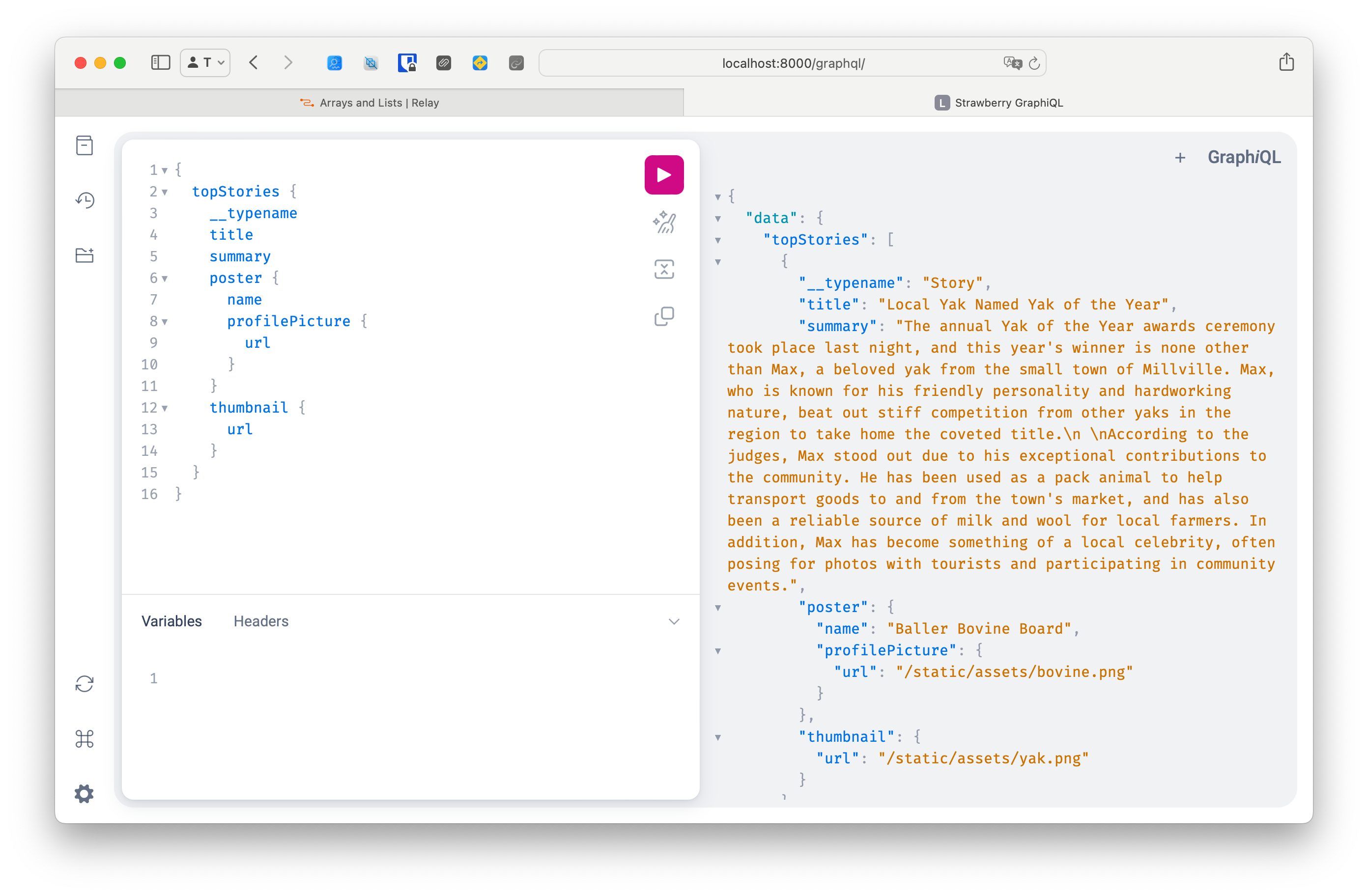
For this part we need to implement topStories field that returns the first 3 stories in our demo dataset. This is straighforward given our current setup: https://github.com/tuan/newsfeed-demo-app/commit/93088f7225567bf7014ec7759072ff5417073add

After making the change, you can do a quick test using GraphiQL:

Now, re-generate the schema with :